Finds the problem. Never touches your site.
ShieldWave Security checks your WordPress for malware, tampered files, known vulnerabilities and risky settings, and tells you in plain words what to fix. It locks out addresses that keep guessing passwords and adds two-factor login. It never edits, moves or deletes your files, users or settings.
In your dashboard, go to Plugins, Add New and search for Ensomedia Security. The directory lists it as Ensomedia Security powered by shieldwave.io, and updates come from there.
- Price
- Free
- Account
- Not needed
- Version
- 1.0.3
- Requires
- WordPress 6.2, PHP 7.4
- License
- GPLv2 or later
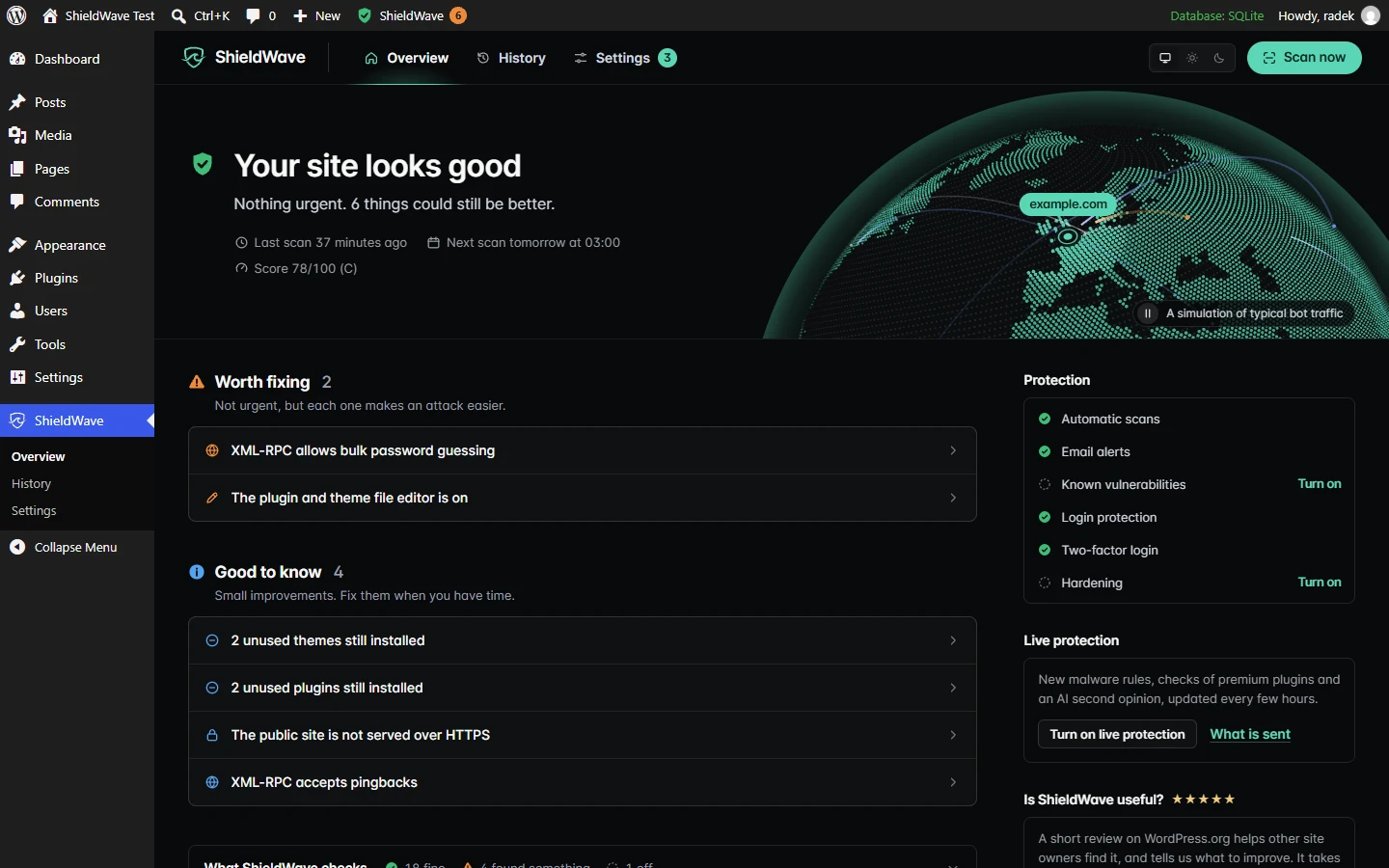
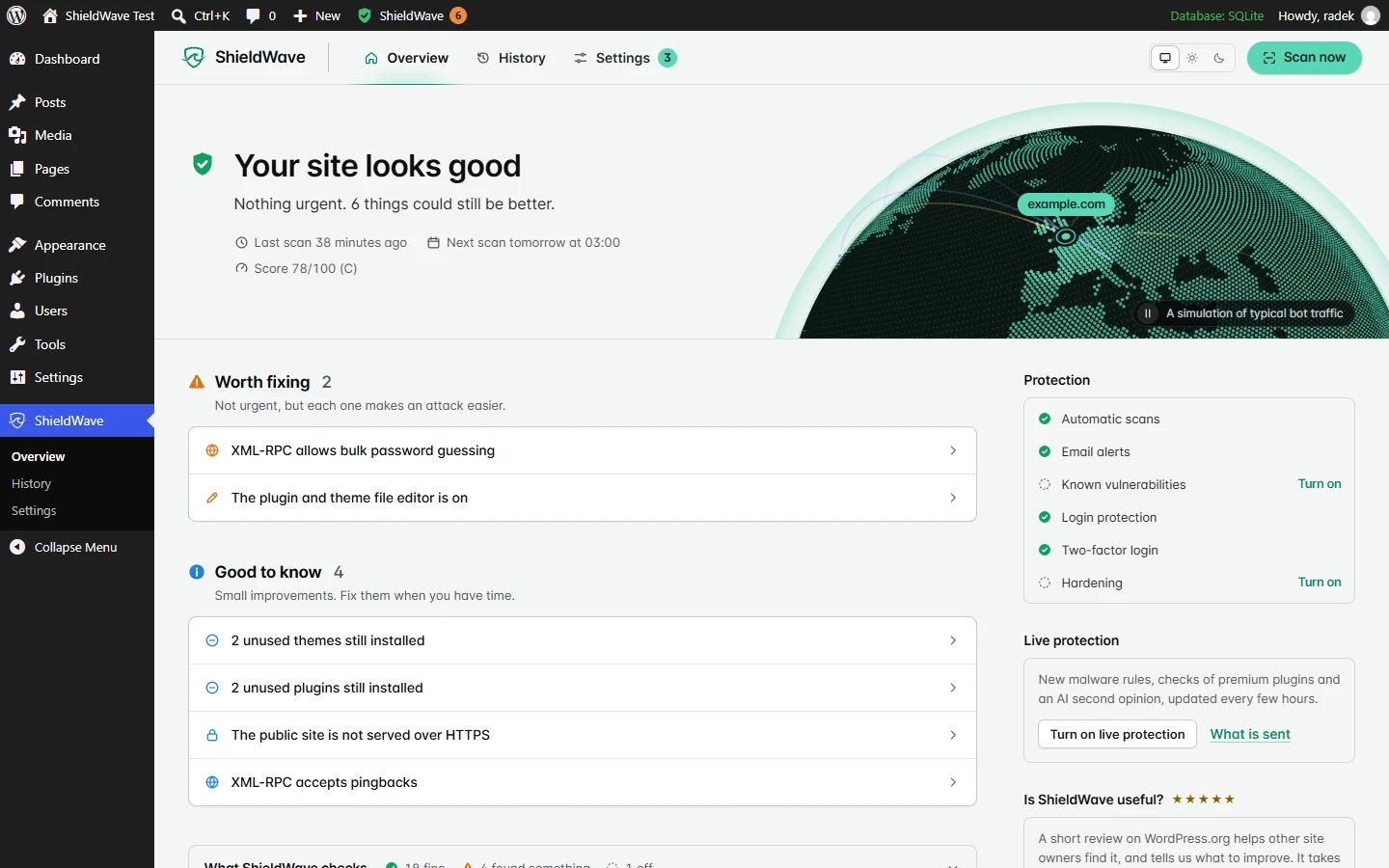
23 checks, in plain words
Every finding says what it means, why it matters and how to fix it. A file that matches the copy WordPress.org published is trusted outright; anything the scanner is unsure about is marked for a closer look instead of raising an alarm.
Malware and files
- Malware and web shells in files WordPress.org cannot vouch for
- Core, plugin and theme files against the official checksums
- New and changed files against a recorded baseline
- PHP files and execution rules in uploads
Vulnerabilities and software
- Known vulnerabilities, premium plugins and themes included
- Plugins closed on WordPress.org, and abandoned ones
- Unused plugins and themes still installed
- WordPress, plugin, theme and PHP versions
Content and exposure
- Scripts, hidden frames and spam links injected into content
- Backups, database dumps, logs, .env and .git left readable
- A public list of your user names
- Scheduled tasks that no plugin owns
Accounts and configuration
- Administrator accounts and user registration
- wp-config.php and debug output
- The built-in file editor and XML-RPC
- HTTPS for the site and the dashboard
It also closes common ways in
Beyond reporting, these are the only things ShieldWave does. None of them changes a file, a user or a setting, and each can be switched off.
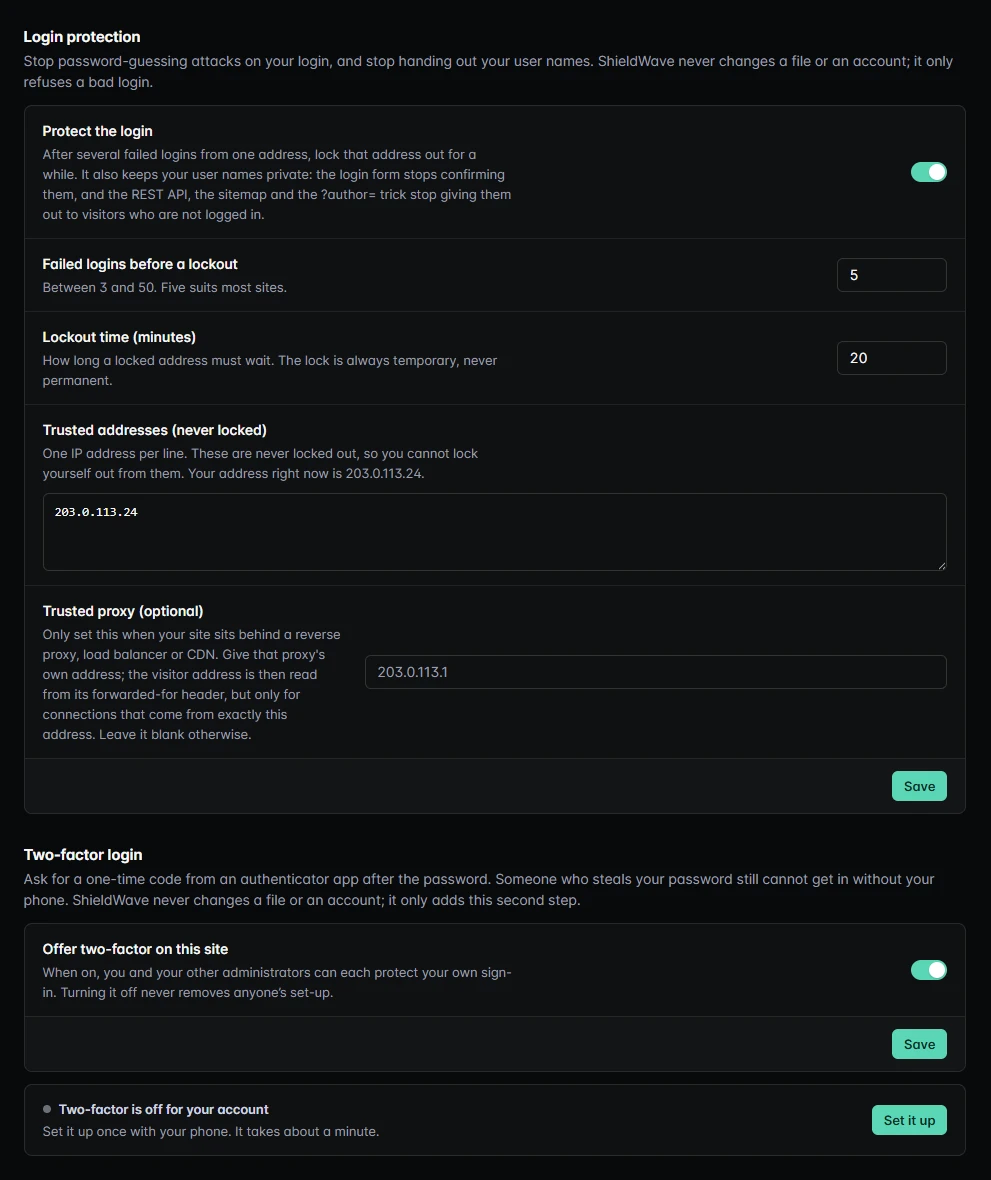
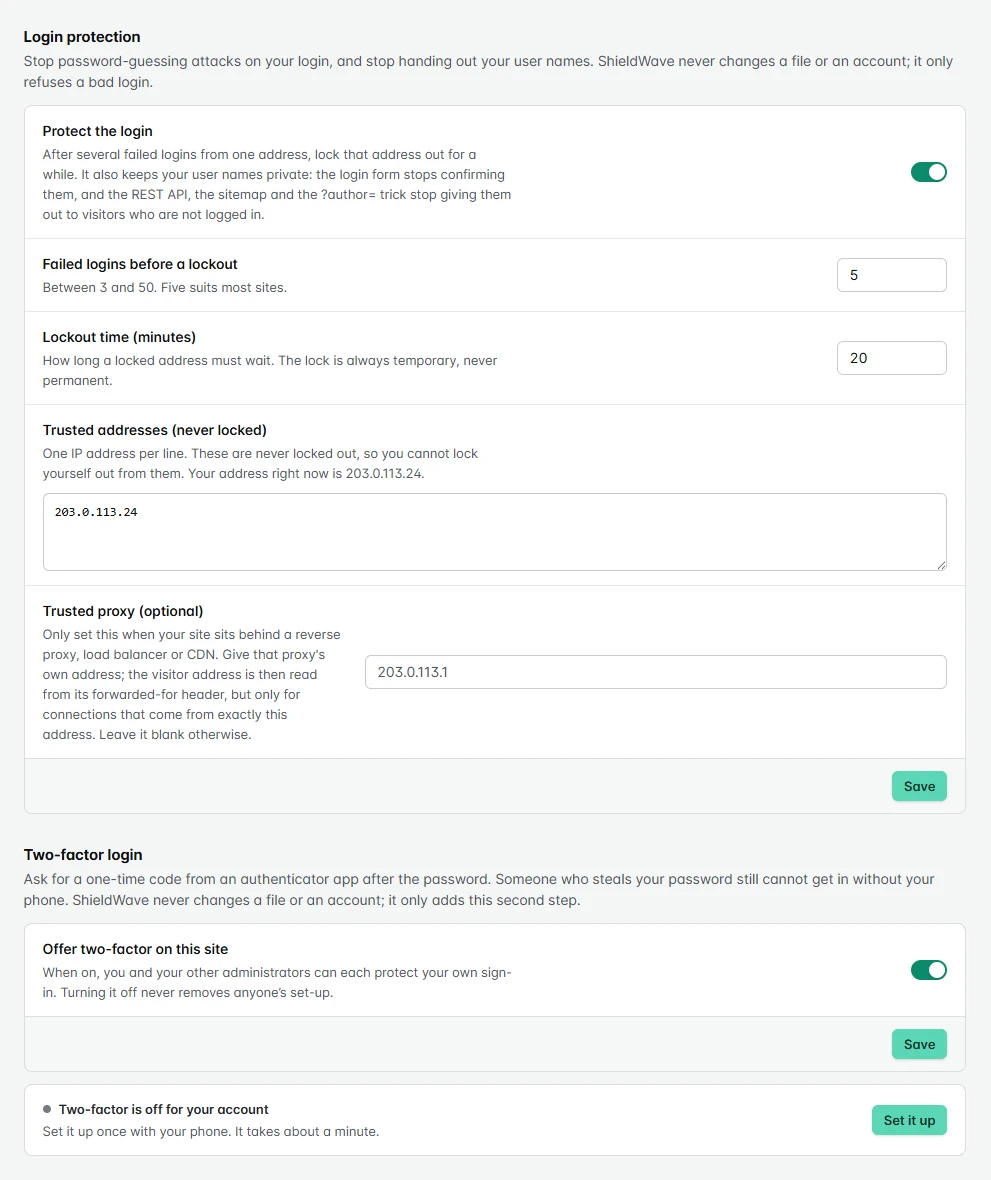
Login protection
- After 5 failed logins from one address (you choose 3 to 50), that address waits 20 minutes (you choose). The lock is always temporary.
- Trusted addresses are never locked. The address that switches it on is added for you, so a mistyped password from there never locks you out.
- User names stay private: the login form stops confirming them, and the REST API, the sitemap and the ?author= trick stop giving them out to visitors who are not logged in.
Two-factor login
- A one-time code from an authenticator app after the password, for each administrator who turns it on.
- You confirm a working code before it is ever required, and get ten single-use recovery codes.
- A shell rescue,
wp shieldwave two-factor disable, if a phone and its codes are both lost.
Hardening switches
- Turn off the plugin and theme file editor, so a stolen administrator password cannot plant code through it. Updates keep working.
- Turn off XML-RPC, which closes bulk password guessing and pingback floods through it. ShieldWave warns first when a plugin you use, such as Jetpack, needs it.
- Both are off until you turn them on, and neither edits wp-config.php.
Optional, and off until you turn it on
Three services keep ShieldWave current between releases. Each one says exactly what it sends before you switch it on.
Known vulnerabilities
Opt-inChecks every installed plugin, theme and WordPress version against published vulnerabilities, premium ones included, and names the release that fixes each one for your version. The data comes from Wordfence Intelligence; each result links to its record. Sent: versions and folder names, never your site address.
Signed threat feed
Opt-inNew detection rules and file fingerprints reach your site between plugin releases. The plugin uses a feed only if its Ed25519 signature matches the key built into the plugin, and a feed can never switch off the plugin’s critical rules. Sent: nothing about your site.
AI second opinion
Opt-inFor a file the rules cannot judge, a redacted excerpt goes to a language model for a verdict in plain words. Host names, email addresses and anything like a key or password are removed first, and wp-config.php is never sent. An AI verdict can settle an unclear file but never overrules one the rules confirm as malicious.
Alerts that respect your attention
One email per scan, only for problems that are new or got worse, never twice for the same one, and at most four a day. A check that could not run is reported as not run, never counted as passed.
Do not take our word for it
The transparency page lists what runs on your site, what it never does and exactly what leaves your server. The threat feed can be verified with a short script that has the plugin’s public key pinned inside it.
curl -O https://shieldwave.io/verify/shieldwave-verify-feed.mjs
node shieldwave-verify-feed.mjs
What is new
- 1.0.028 September 2026
In the WordPress.org plugin directory as Ensomedia Security powered by shieldwave.io, with updates from there. The numbering starts again at 1.0.0; the versions below were downloads from shieldwave.io.
- 3.6.627 September 2026
The plugin no longer takes instructions from outside your site: the ShieldWave dashboard shows results but cannot start a scan or change a setting, and the signed wake-up route is gone. Every database query is prepared, table names included, so WordPress 6.2 or later is required.
- 3.6.527 September 2026
Listed on WordPress.org as Ensomedia Security powered by shieldwave.io. Screens and settings are unchanged.
- 3.6.427 September 2026
The number of things to do sits centred in the toolbar shield.
- 3.6.326 September 2026
Readme and comment wording only, for the WordPress.org review: API endpoints are named as plain paths, and comments say "script tag" in words. No behaviour change.
- 3.6.226 September 2026
Security fixes from our own review: multisite is now protected network-wide instead of only the main site; a remote dashboard change can only raise protection, never lower it; turning two-factor off or issuing new codes asks to confirm again; wrong codes now escalate and email the account owner; an AI verdict can only soften an unclear finding by one step; and two-factor secrets are encrypted in the database when the server’s PHP has libsodium.
- 3.6.126 September 2026
Security fix from our own review: some login forms, a request with an extra header and XML-RPC could sign in with the password alone although two-factor was on. Every sign-in now asks for the code, and a successful login no longer resets the failed-login count.
- 3.6.025 September 2026
Hardening switches: turn off the file editor and XML-RPC in one click, without editing wp-config.php. Findings open the switch that fixes them.
- 3.5.525 September 2026
Login protection now keeps user names out of the REST API, embeds and the sitemap for visitors who are not logged in, as it promised.
- 3.5.425 September 2026
A repeat scan checks flagged files again instead of marking them resolved; plugins a drop-in needs are never called unused; turning login protection on trusts your address.
- 3.5.325 September 2026
An AI opinion can never soften a finding the rules or the known-bad list confirm.
- 3.5.225 September 2026
An AI verdict can no longer lower a file the rules confirm as malicious.
- 3.5.125 September 2026
Requests to ShieldWave no longer carry your site address, which WordPress adds to outgoing requests by default.
- 3.5.025 September 2026
Two-factor login with authenticator-app codes and recovery codes.
- 3.4.025 September 2026
Login protection: temporary lockouts after repeated failed logins, and no more user-name enumeration.